Stay on top of it all with Familyoo
The smart family organiser for busy parents.
Familyoo automatically reads the emails, letters, messages and screenshots your family gets, from school and clubs to the dentist, the insurer and the holiday booking, and turns them into one shared list for the whole family to use: what to do, who it’s for, by when. On-time reminders and a weekly digest mean nothing important slips past you.
Dear parents, Greenfield Primary is starting weekly swimming lessons at Riverside Leisure Centre for Year 5 pupils from next half-term. Parents must sign the attached consent form and return it to the school office by Wednesday. Children without a returned form will not be able to attend. Also this week: the PTA cake sale is on Friday, lost property will be on display in the hall…
- Sign the consent form
- Return to the school office by Wednesday

Why I built Familyoo
Almost a year ahead, my wife and I booked our two sons onto their club’s weekend camp. Places reserved, paid in full, and two boys looking forward to it.
Then, one Friday afternoon, a text from the trip leader: were the boys on their way? We had forgotten. Not because we didn’t care, but because work, school, appointments and the hundred small things a family runs on had buried it. I have rarely felt so embarrassed. The boys missed the weekend they had waited a year for.
So I built the thing I wished we’d had. Familyoo reads emails and notes our family receives, turns them into one clear list of what needs doing, and reminds the right person before the moment passes. Now the nudge comes the day before, and on Sunday I can see the whole week ahead.
What a week looks like
Real cards from The Familtons, the fictional family in our live demo. Open the demo to click around for yourself — no sign-up, nothing to install.
Three steps, then it runs in the background
Bring it in
Connect your email and Familyoo checks it for you. Or paste a message from a group chat, or snap a photo of a letter or form.
Familyoo makes the cards
It finds what actually needs doing and writes a card for each item: what to do, who it’s for, by when, how much. A school trip, a dental check-up, a car service, a renewal. The email itself isn’t stored, the card is.
You review. It reminds.
Tick it off, edit it, assign it to a parent, add it to your calendar, or mark it not relevant. Reminders reach the right people the day before, plus a Sunday summary of the week ahead.
Built for the most private thing you own
Asking to read a family’s inbox is a big ask. Here is exactly what happens.
What Familyoo reads
With your permission, incoming mail in the email inbox you connect, looking only for items your family needs to act on. Anything you paste or upload is read the same way, once.
What it keeps
The card: what to do, for who, by when, how much. Plus the sender, the subject line and a link back to the original so you can check it. The email body, your files and photos are processed and discarded.
What it never does
No ads. Nothing sold. Your data is not used to train AI models. Encrypted in transit and at rest on secure cloud infrastructure. Export or delete everything from Settings, any time.
Be one of the first families
Familyoo is in an invitation-only pilot. We onboard a small group of families in waves and shape the product around what they tell us. Request a place and we’ll be in touch when yours is ready.
Things parents ask us
What is Familyoo?
Familyoo turns the emails, letters, messages and screenshots your family gets, from school, clubs, doctors, insurers and anyone else, into one shared list of cards: what to do, who it’s for, by when, how much. You review the cards; Familyoo reminds the right people at the right time.
Do you read all my email?
Familyoo reads incoming mail in the email inbox you connect, looking for items your family needs to act on. It keeps the card it creates, plus the sender, subject line and a link back to the original. The email body itself is not stored. You can also skip the inbox entirely and just paste or upload what you want read.
Do I have to connect my email?
Connecting your email is the best way to use Familyoo: it checks the inbox for you, so school letters, appointments and renewals become cards without you lifting a finger. It isn’t required, though. You can also paste a message or upload a photo, PDF or document whenever you like, and Familyoo reads it exactly the same way.
Is it accurate?
Yes. Familyoo reads the whole message, not just the subject line, and writes each card with the date, the person and the amount it found. Every card links back to the original so you can check it in one tap, and when a message doesn’t state a date clearly the card is flagged for you to confirm. Follow-up emails update the card rather than creating a second one. And you always have the final say: edit anything, or mark a sender not relevant and Familyoo stops making cards from them.
Who can see our family’s cards?
Only the people you choose. Parents have full control over who can access the family’s information: you invite each parent, carer or child, decide their role, and can remove them at any time. Parents can add and change cards; carers and children get view-only access.
Which devices does it run on?
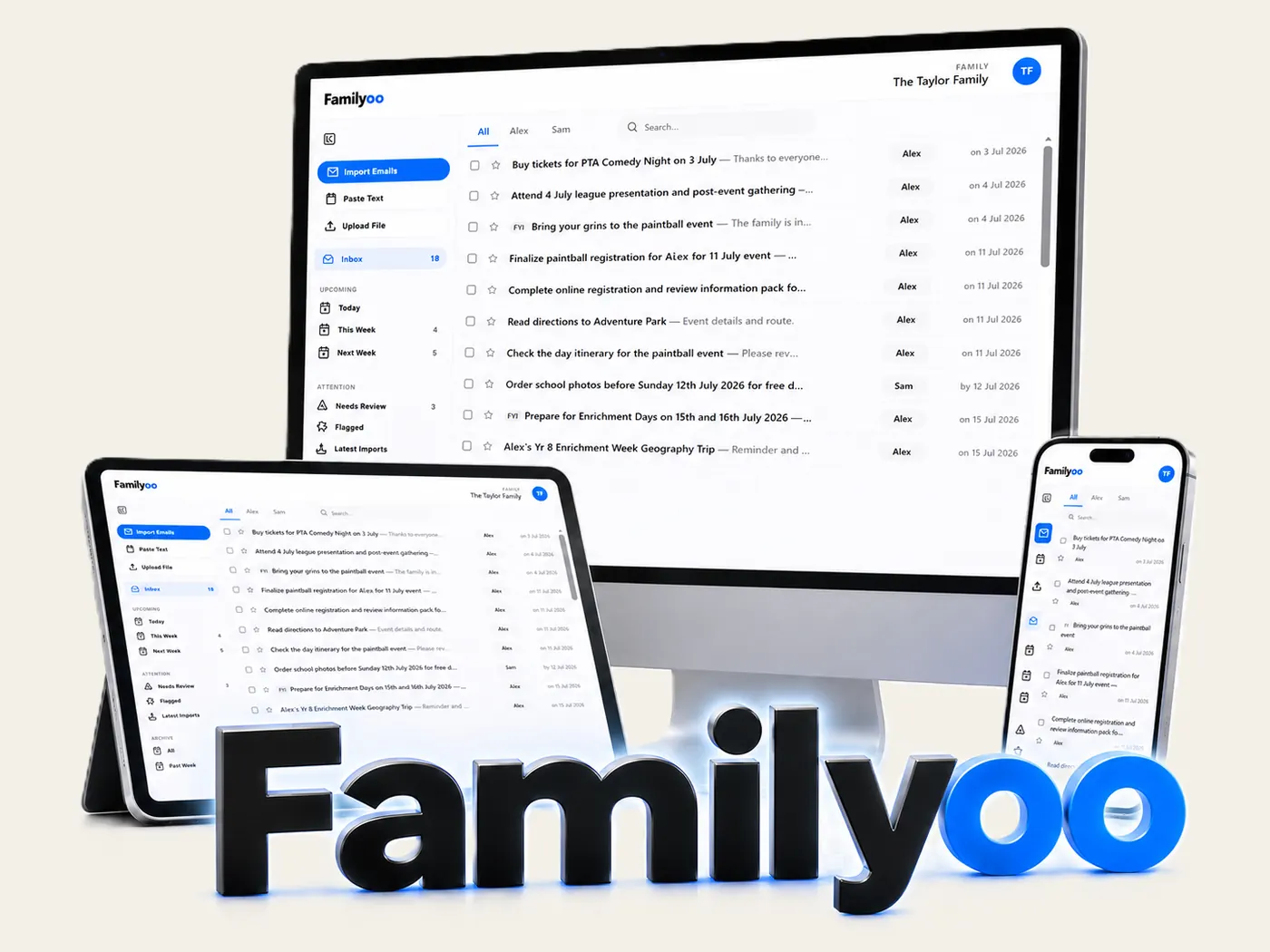
On the web and as an app. Use Familyoo in any browser on desktop, mobile and tablet, or get the iPhone and Android apps, and reminders reach you wherever you are.
How much does it cost?
Pricing hasn’t been set yet. Early access is by invitation while we shape Familyoo with a small group of families, and you will always know the price before anything is ever charged.
What happens after I request access?
We onboard families in small waves. When a place is ready we get in touch with your invitation. In the meantime the live demo shows the real product with a fictional family, no sign-up needed.